Introduction
People struggle with deciding on the perfect animation style most of the time. For example, whiteboard animation gives off that charming hand-drawn storyteller vibe, on the other hand, motion graphics present a clean and contemporary appearance.
This article clarifies how each style operates, where each one is best, and which kinds of situations they fit most. You will discover how to align the right format with your objectives, audience, and right animated video maker so that you can make a high quality animated video that visually appeals and clearly shares your message.
What Is Whiteboard Animation?
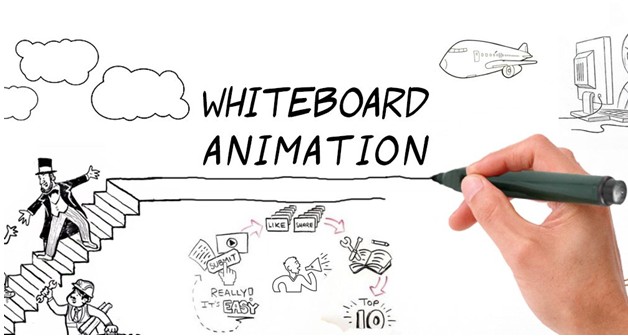
Whiteboard animation is a technique of visual communication that makes it appear like a hand is sketching the images on a whiteboard or a dark surface while a speaker describes the subject. The images are created step-by-step and live, which is an effective method of leading the audience in the presentation of the concept or plan in a lovely and fun way.
Characteristics
- It gives the impression of a hand drawing on a whiteboard or dark background
- Generally, it is a voice-over and a series of quick, sequential illustrations combined.
- The use of a “real-time” drawing effect is the gradual reveal of information.
- Simple, minimalistic, and attention to clarity.
Best use cases
- Educational content (science, finance, software workflows, tutorials)
- Internal corporate training or onboarding videos
- Linear storytelling where step-by-step explanation matters
- Simplifying complex processes or abstract topics
Pros
- Teaching and explaining complex subjects is the best thing about it
- Strong storytelling flow keeps viewers focused
- Minimal visuals reduce distraction and improve retention
- It is a bit cheaper than getting a team for more complex animation styles.
Cons
- Visual variety is quite limited; sometimes it could get boring or seem a bit outdated.
- It doesn’t really fit the vibe of exciting, visually rich content.
- The slow “draw and reveal” technique is probably not the one for the quick-message types.
- Branding-heavy or commercial content may be perceived as less polished.
What Are Motion Graphics?
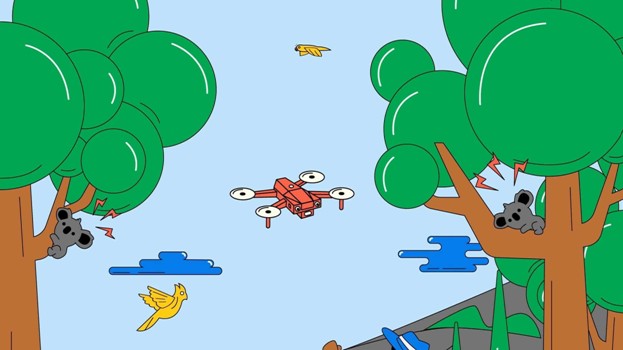
Motion graphics rely on animated graphic elements such as icons, shapes, text, and characters to create very entertaining, dynamic videos. It does not have the hand-drawn feel of whiteboard animation. Typical features of this type of animation are fluid changes, vivid shades, and recent layouts. Furthermore, it is quite straightforward to merge it with real-life shots, 3D animations, or dynamic typefaces for a more powerful effect.
Characteristics
- Animated graphics, text, icons, symbols, characters, etc.
- Visuals move fluidly through transitions without hand-drawing
- Vivid color schemes and cutting-edge design styles
- Mixing motion graphics & 3D elements, live-action clips, or typography animation
- Both minimalistic and high-energy visual storytelling
Best Use Cases
- Brief marketing and product launch videos
- Social media brand ads and promotional campaigns
- Content that should be modern, polished, and energetic
- Brand-focused messaging, visualizing data and app interfaces
Pros
- Visually engaging and very versatile
- Good for branding due to custom colors, fonts, and styles
- Enables brief storytelling with dynamic transitions at a great speed
- Excellent advertising and attention-grabbing content
- Able to incorporate 3D, footage, and advanced visual effects
Cons
- Generally, it costs more than whiteboard animation
- The quality depends on the design and animation skills
- Complex visuals may overshadow the message
Head to Head Comparison: Key Factors to Consider
| Factor | Whiteboard Animation | Motion Graphics |
| Visual style | Hand-drawn, minimal, and focused on clarity | Modern, colorful, and design-driven |
| Pacing | Gradual, step-by-step progression | Fast-moving with fluid transitions |
| Best suited for | Educational content, training, and process explanations | Marketing campaigns, product launches, and brand-focused videos |
| Complexity level | Low to moderate | Moderate to high |
| Engagement type | Narrative and explanation-focused | Visually stimulating and high impact |
| Branding flexibility | Limited customization options | Highly flexible with full brand integration |
| Visual richness | Simple and minimalistic | Dynamic with rich graphics and effects |
| Cost level | Generally, more budget-friendly | Typically, higher due to design and animation demands |
| Required skills/tools | Beginner-friendly animation tools | Advanced motion design tools or professional software |
| Learning curve | Easy for beginners to grasp | Steeper learning curve |
| Ideal video length | Longer educational pieces (3–10 minutes) | Short to medium brand or promo videos (15 seconds–3 minutes) |
How to Decide: 5 Questions to Ask Yourself
Deciding between whiteboard animation and motion graphics can be a lot simpler if you consider your project by asking yourself a couple of practical questions:
What is the main purpose?
To educate, convince, or entertain? Whiteboard is good at explaining things, whereas motion graphics are more effective at persuasion and promotion.
Who is my target?
Generally, students, trainees, and internal teams like to have a clear, step-by-step visual representation. On the other hand, executives, customers, and social media users prefer contemporary, sleek motion graphics.
What is my budget and timeline?
Whiteboard animation is a lot more forgiving if you want a longer video or if your resources are limited. Motion graphics usually imply more time, design work, and a higher budget.
Is brand consistency a major factor for me?
If your video must strongly showcase brand colors, fonts, and a visually polished identity, motion graphics are the way to go.
How long is the video?
Whiteboard is effective for 2 to 5-minute explanatory and training videos. Motion graphics can still get the message across in very short formats, like 30-second commercials or social media posts.
Tools to Create Both Styles
Doodly and VideoScribe are great if you want to make whiteboard animations, as they provide drawing assets ready to be used; however, they limit you to one visual style only. Adobe After Effects is the industry standard when it comes to motion graphics and offers the highest level of control over text, icons, and transitions but the downside is that it needs quite some time and skill to learn.
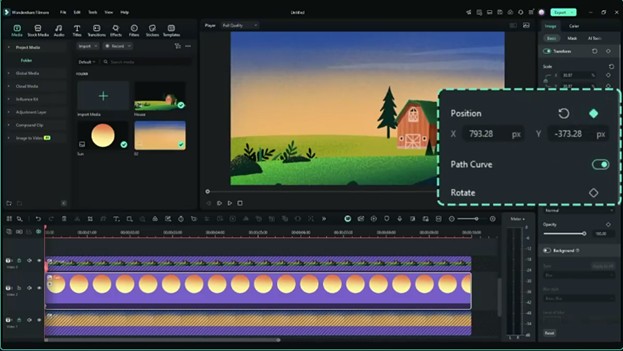
If you prefer a more versatile workflow, Filmora combines both styles on one platform. Whiteboard-style elements and motion graphics templates can be mixed with hand-drawn effects or kinetic typography all this without the need to switch between multiple applications. It’s a very practical choice to create animated video easily.
Conclusion
Whiteboard animation works the best for educational, incremental, story-telling content while motion graphics are better suited for very polished, brand focused marketing videos. Here is a simple guide for whiteboard vs motion graphics: when you are showing the working of a thing choose whiteboard; on the other hand, if you are describing the importance, pick motion graphics.
Whichever style you pick, good software is always a key factor. Software such as Filmora lets you combine whiteboard features and motion graphics, finish the look, and make professional-grade videos hardly with any learning.