Drowning in PDFs, articles, and docs all in a while? Make Notebook LM your AI study partner. It reads your document, understands it, and helps you make sense of complex ideas. With features like instant summaries, mind maps, and podcast-style audio overviews, Notebook makes learning and organizing smarter, faster, and more fun.
What is Notebook LM?
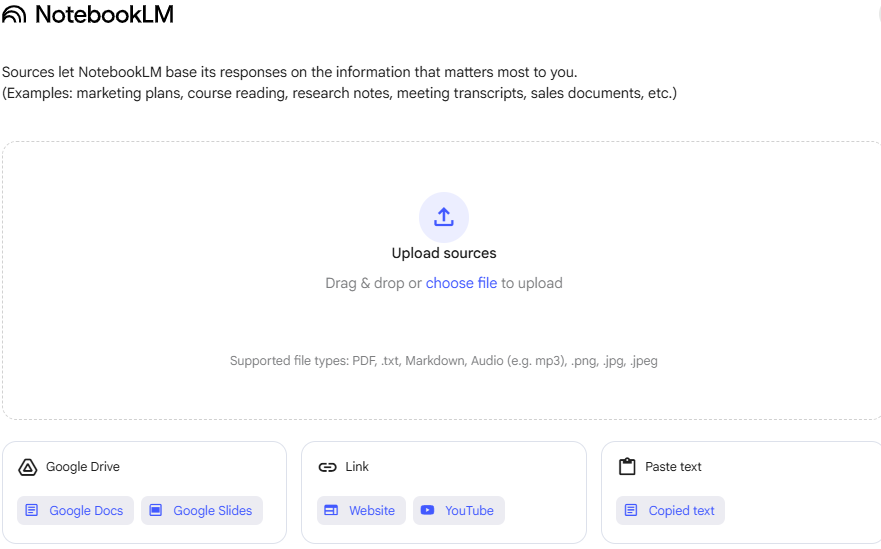
NotebookLM is an online AI-powered notebook and virtual research assistant tool developed and launched on July 12, 2023, by Google Labs. It uses the Google AI Studio Gemini 2.0 model to assist you in interacting with the prompt you insert and documents and giving you answers specific to your requirements, just like ChatGPT. This AI software can generate summaries and explanations and even create podcasts according to your uploaded content. You can upload your content sources in formats like:
- PDF, .txt, Markdown, and Audio
- Google Drive: Google Docs and Google Slides
- Links: web page and YouTube
- Copy-paste your text.
The AI then generates summaries and explanations and even creates podcasts.
Features of Google Notebook LM

1. Upload Your Sources
You can upload your documents in Google LM Notebook in formats like PDFs, Google Docs, Google Slides, web pages, YouTube transcripts, and audio files. In one notebook that you create with the tool, you can upload up to 50 sources. However, Notebook LM learns the data contained within them and summarizes and alters the content with more relevant and accurate responses based on those sources.
2. Organize & Summarize your Content
Instead of manually selecting through long documents or moving from one tab to another, NotebookLM will automatically organize the content for you. When you add your content source, Notebook LM automatically gives you clear, structured, AI-generated summaries, key insights, and suggested questions to explore according to the source you insert. Not only this, but it will also generate a study guide, briefing doc, FAQs, and timeline for your content.
3. Ask Questions with Your Content
You can also ask natural-language questions on Notebook LM based on your uploaded content. The tool then gives you accurate, AI-generated responses that help you explore complex topics, get new ideas, and check facts directly from the source. All the answers include relevant snippets that link back to the exact part of the documents you have uploaded.
4. Audio Overview
The audio overview feature of NotebookLM was launched in September 2024. With this ChatGPT alternative, you can turn your documents into podcast-style conversations. This AI tool generates dialogue between two virtual hosts discussing the topic that you have uploaded. Not only this, but you can also interrupt them midway and ask questions.
5. Mind Map
The mind map feature of Notebook LM was launched on March 19, 2025. This feature shows you a visual diagram that helps you see how ideas from your uploaded sources connect. It breaks down your content into main topics and related subtopics into a clear snapshot.
6. Share Your Content
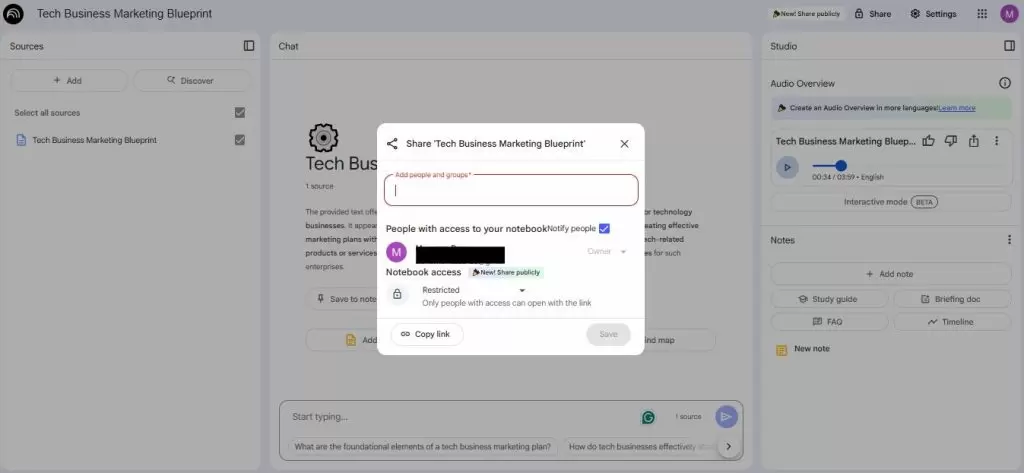
With Notebook LM, you can share your notebooks via email with view or edit access to your classmates, colleagues, or team members. When you share it with the other person, they can view the documents, make AI-generated summaries, ask questions, and add or modify notes if they have edit access.
How to Use Notebook LM?
If you want to use NotebookLM to make a creative document and get accurate and cited answers but don’t know how. Here is the step-by-step guide to using it and also creating a podcast with it.
- Head to the NotebookLM website and log in using your Google account.
- Click on the create new notebook button to get started.
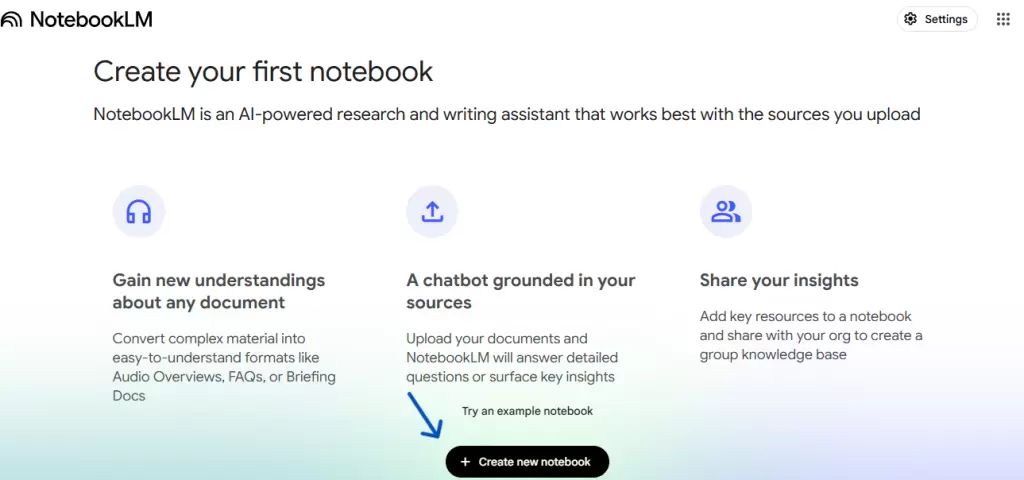
- Then upload a file in PDF, .txt, or Markdown add a website, Google Doc, or Google Slide link, or copy and paste text in your notebook.
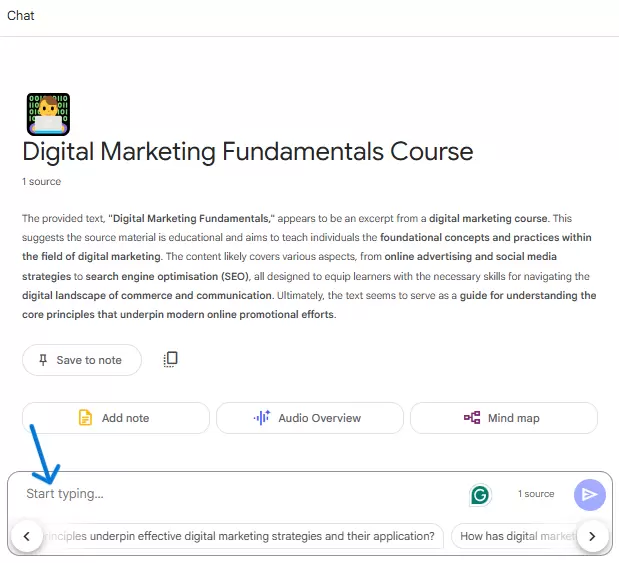
- Once you upload the document, you will get an automatically generated summary of your uploaded document. Here you see suggested questions while you can also ask questions and get ideas related to your content.
- On the right side, you will see the notes section; here you can add the generated content to the notes. Tell the Notebook LM to make a study guide, FAQs, and a timeline and brief the doc from the content.
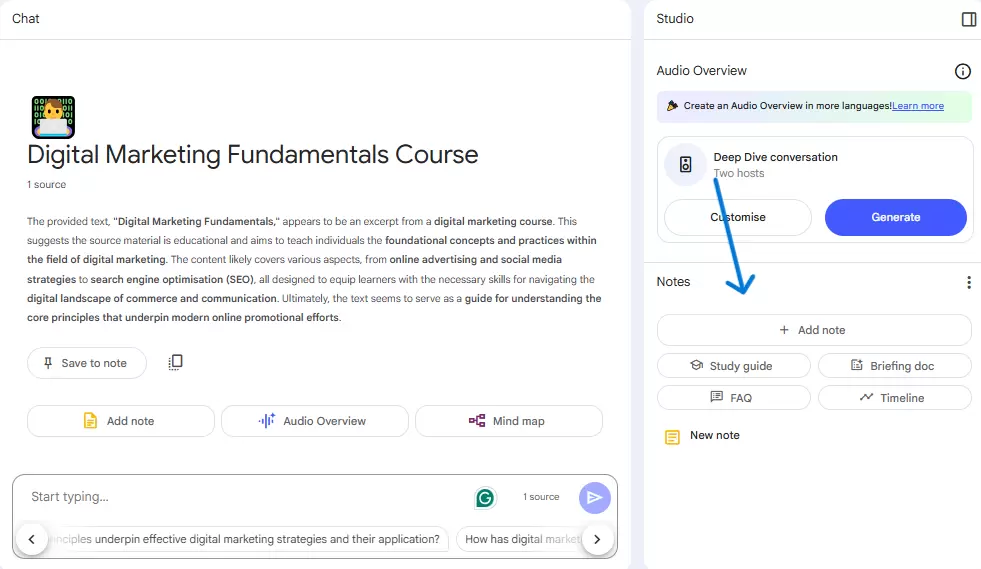
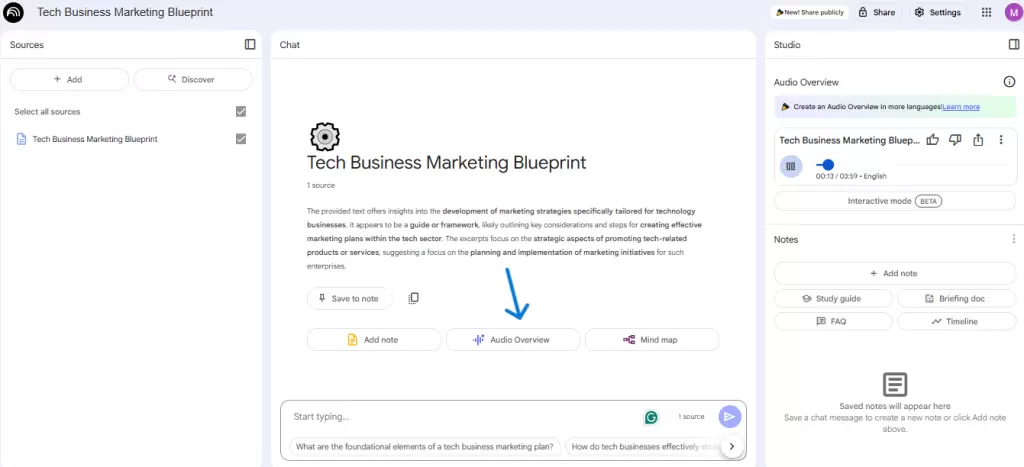
- To make a NotebookLM podcast, click on the audio overview, and then it will generate the podcasts. You can download and delete this podcast as well.
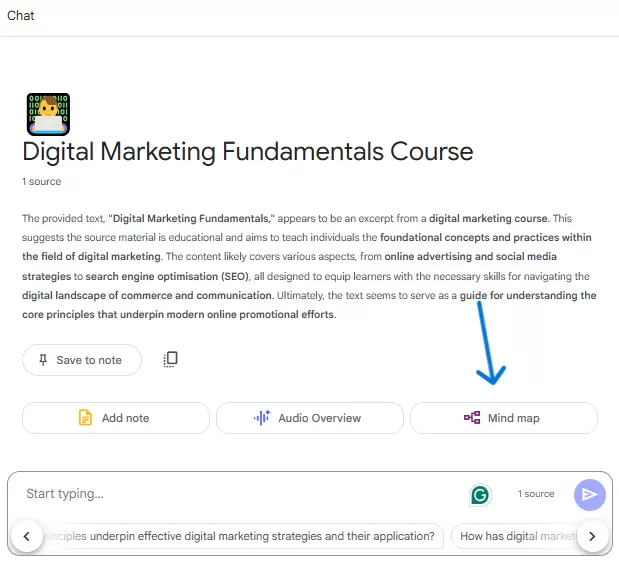
- When you click on the mind map option, a visual summary of your uploaded sources will appear in a new window where you can see the structure of your notes.
- Click on Share to invite people via email and select they can view or edit the notebook.
Is NotebookLM Free?
Yes, Notebook LM is free to use. However, Google also offers you NotebookLM Pro, Enterprise & AI Ultra in different pricing and plans.
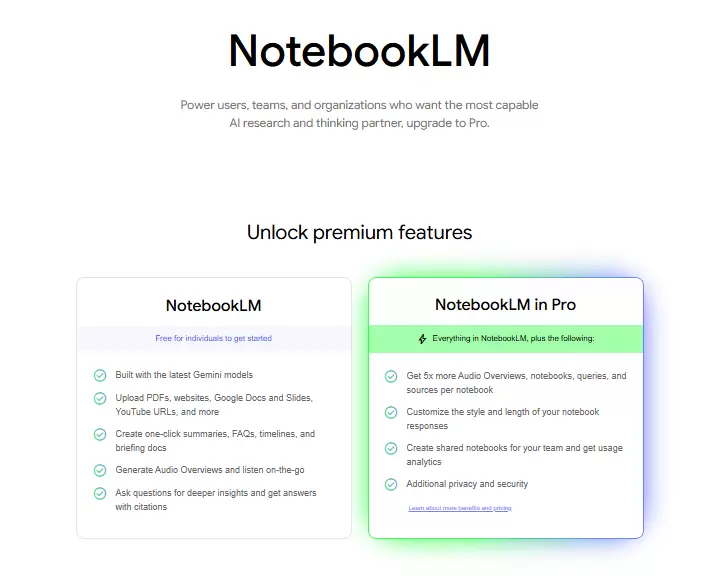
With NotebookLM Free Tier, you can make:
- 100 notebooks
- Upload 50 sources per notebook
- Ask up to 50 AI questions per day
- Generate 3 audio overviews daily
Notebook LM Pro costs $19.99/month and is offering these features:
- 500 notebooks (+100 free)
- 300 sources per notebook (+50 free)
- 500 daily chat queries (+50 free)
- 20 audio overviews/day (+3 free)
- Custom response styles
- Chat-only sharing mode and usage analytics
NOTE: U.S. students (18+) can get the Pro plan for $9.99/month for 12 months.
NotebookLM Enterprise offers these features, and the cost can be customized.
- 500+ notebooks
- 300+ sources per notebook
- 500+ daily chat queries
- 20+ audio overviews
- Advanced security
- Team management tools
- Compliance features
The AI Ultra plan costs $249.99/month and offers these features:
- All features in Notebook LM
- Google AI tools like Gemini 2.5 Pro Deep Think, Chrome AI
- 30 TB of cloud storage
For more details, you can check the official Notebook LM pricing plan page and ask for customer support help.
FAQs
Q: Is NotebookLM a Google product?
Yes, NotebookLM is Google’s newest academic AI tool.
Q: What is Notebook LM used for?
NotebookLM AI research assistant and writing tool. It helps you to understand and work with complex data by analyzing and summarizing documents and other sources.
Q: What are NotebookLM alternatives?
Here are the best alternatives to the Notebook LM:
- Mem.ai
- Evernote
- Microsoft OneNote
- Notion
- Obsidian
- Afforai
- RemNote
- MyMind
Q: Is NotebookLM better than ChatGPT?
Notebook LM and ChatGPT are both AI tools, but they serve different purposes.
- NotebookLM is best for working with your documents. It specializes in summarizing, analyzing, and organizing uploaded content. It provides accurate citations and keeps everything stuck in your specific sources.
- ChatGPT, on the other hand, is a conversational AI. It’s great for content creation, suggesting, general knowledge, and problem-solving. However, it doesn’t always cite sources or verify information with the same precision.
Q: Is NotebookLM available on mobile?
Yes, the Notebook LM app is officially available for Android and iOS devices.
Q: Is NotebookLM safe?
Yes. Notebook LM is safe to use. Your documents stay private, and they are not used to train AI models and are encrypted for security. Google doesn’t access your content unless you opt-in for feedback.
Q: What are the disadvantages of NotebookLM?
Notebook LM is a powerful AI tool but it does have some disadvantages, including:
- Restriction in uploading documents
- NO API Access and Platform Limitations
- Quality Concerns in AI Responses
- Limited Customization
Q: Does NotebookLM hallucinate?
Few users stated in reviews that Notebook LM hallucinated while telling a story that was not in the book and one that misrepresented the concept attached to it.