Have you faced a situation in which you are doing something very important, and in between, ChatGPT stops responding? Well, in this situation, you must want to scream in frustration that why is ChatGPT not working.
But the truth is that screams cannot do anything, and you have to find the reason. So, come with us and read this article to find the possible solutions to get out of this frustration.
Why is ChatGPT Not Working?
OpenAI ChatGPT Outage
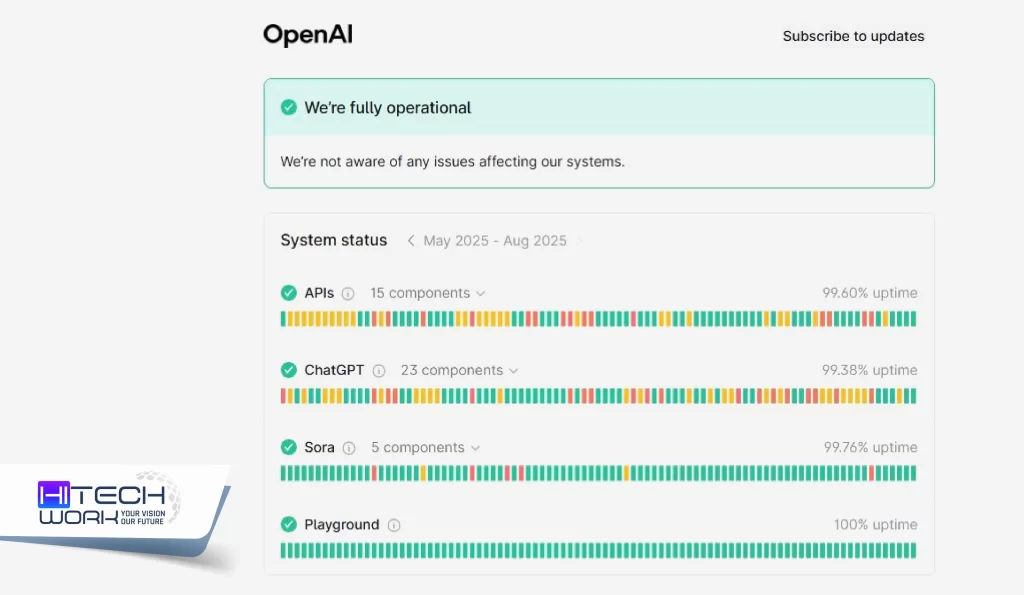
OpenAI server status can be down due to heavy traffic or maintenance. When this happens, you will see error messages or the service is temporarily unavailable.
Weak Internet Connection
If your internet is not working, it may cause GPT to malfunction. When the loading is low or you see a Network error message, it is due to the connection bots.
ChatGPT Login Errors
If ChatGPT shows you login errors, it occurs due to a password issue, account suspension, or problems with third-party login.
You are Using a VPN
A VPN: Virtual Private Network hides your real IP address, which also causes ChatGPT access to be blocked.
Browser Cache and Cookie
Browser Cache and Cookies save your online activities. And sometimes these cache and cookies files can cause some issues, including ChatGPT not working.
If you get one of these problems and now you know why is ChatGPT not working. Don’t worry, fixing it is easier than you think! Here we have shared some simple steps you can follow.
How to Fix: ChatGPT Not Working?
ChatGPT is known as one of the best AI software, but sometimes it does not work and you will see errors. In this situation, don’t panic. You can solve this issue in just a few simple steps. Try these quick fixes:
1: Check ChatGPT Status
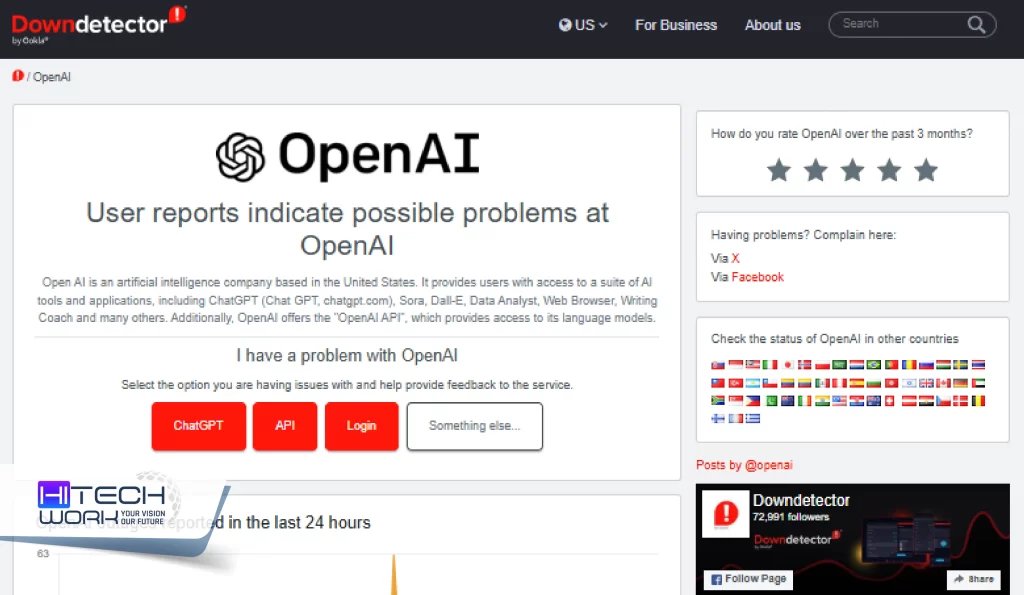
OpenAI updates about the ChatGPT server status on any ongoing issues, maintenance, service disruptions, and temporary outages on its official website. So, if you are facing an internal server error must check the ChatGPT status on its official site or a third-party server down detector. If the server is down, wait a couple of hours to get it back online.
2: Fix Internet Issues
If your internet connection is poor, then restarting your router can help. Also, check other websites; if they work fine but ChatGPT does not, then try switching between Wi-Fi and mobile data.
3: Log Out and Log Back In
When you log out and log back in to your ChatGPT account, it will refresh your account status and resolve any login issues.
4: Clear Browser Cache
If ChatGPT is not working, then clearing the browser cache and cookies helps to fix this issue. When you clear the cache and cookies from your browser allows you to get access to ChatGPT.
Here is how to clear ChatGPT cache:
- Go to your browser’s privacy and security settings.
- Head to the browsing data and find ChatGPT.
- Clear all your stored browsing data relating to ChatGPT.
5: Restart your Device
Restart your device if ChatGPT is not working yet. Restarting will refresh your system processor, and it will fix connectivity or any performance issues. So, try restarting your device before accessing ChatGPT again.
6: Disable VPN
If you are using a VPN, disable it because ChatGPT blocks some IPs to prevent the manipulation of terms and services. Once you turn off VPN, refresh the ChatGPT page or re-login.
Is ChatGPT Down Right Now?
As of now, OpenAI reports that ChatGPT is fully operational without any disruptions across its services, including API, ChatGPT, and Sora AI.
However, the recent global outages of OpenAI impacted ChatGPT, Sora, and API services on July 16, 2025, and June 10, 2025, lasting over 10 hours. According to the third-party outage tracking, the last recorded outage occurred on August 26, 2025. It lasted almost 38 minutes and has since been resolved.
Is there any ChatGPT Alternative?
When ChatGPT is not working then you can use other chatbots. There are many ChatGPT alternatives that offer you strong conversational, research, coding, and productivity features. Every AI chatbot has its own strengths for different users and responsibilities. Here are some ChatGPT alternatives you can opt for:
- Google Gemini
- Claude
- Chatgbt
- Microsoft Copilot
- Perplexity AI
- Chatgot
- Sipcychat
FAQs
Why is ChatGPT not working on my phone?
ChatGPT may not be working on your phone due to a few common reasons, including:
- Internet connection problems
- Outdated app versions
- Server issues
- Problems with your browser
Why is ChatGPT so slow?
ChatGPT is slow due to:
- Server overload
- During peak hours
- Priority given to paid users
- Slower internet connection
Why is ChatGPT not working on my laptop?
Here are the reasons for ChatGPT not working on your PC:
- Server issues
- Unstable internet connection
- Corrupted browser data
- Interfering browser extensions
What to do if ChatGPT Plus file uploading is not working?
If file uploading isn’t working on ChatGPT Plus, then check if the file is too large or corrupted, try splitting it into smaller parts, or use a different, unencrypted file. If the issue still continues, then follow these tricks:
- Check you are using GPT-4o
- Switching models to GPT-4o
- Try refreshing the page
- Clear your browser’s cache and cookies
- Disable extensions
- Try a different browser or device
- Make sure your internet connection is stable
Why is ChatGPT’s image upload not working?
ChatGPT image upload may not work due to:
- File format/size issues (JPEG/PNG, <20MB)
- Unsupported browser models (GPT-4/GPT-4o required)
- Slow internet
- Browser glitches (use incognito or clear cache)
- Reaching your daily limit on the free version
- Temporary server problems