Vidu Studio AI is here for designers, creators, marketers, and storytellers to change the way they create videos. It turns simple ideas, images, or text into dynamic, professional-quality videos in just a few clicks. So, if you want to animate a still image, create a short promo, or bring your content to life, then say hello to Vidu Studio, which makes the whole process fast, easy, and accessible. Come with us and explore more about your new creative partner that helps you bring imagination to motion.
About Vidu Studio AI
Vidu AI is a video-making tool that goes way beyond basic editing. This AI software was launched in March 2023 by the Chinese-based company Shengshu Technology. It is an AI-powered platform built on Vidu Q1/2.0/1.5/1.0models, using Stability AI Diffusion and Universal Vision Transformer (U-ViT). It offers you advanced video creation tools that make your text prompts into high-quality videos with dynamic shots, accurate lighting, and expressive facial movements.
Moreover, Vidu Studio AI is available to use on Windows PC, macOS, and Linux, and also has a Vidu AI app for mobile users. You can use it in different languages, including Chinese, Japanese, German, Spanish, French, Russian, Portuguese, and Korean.
Features Vidu Studio AI Offers You
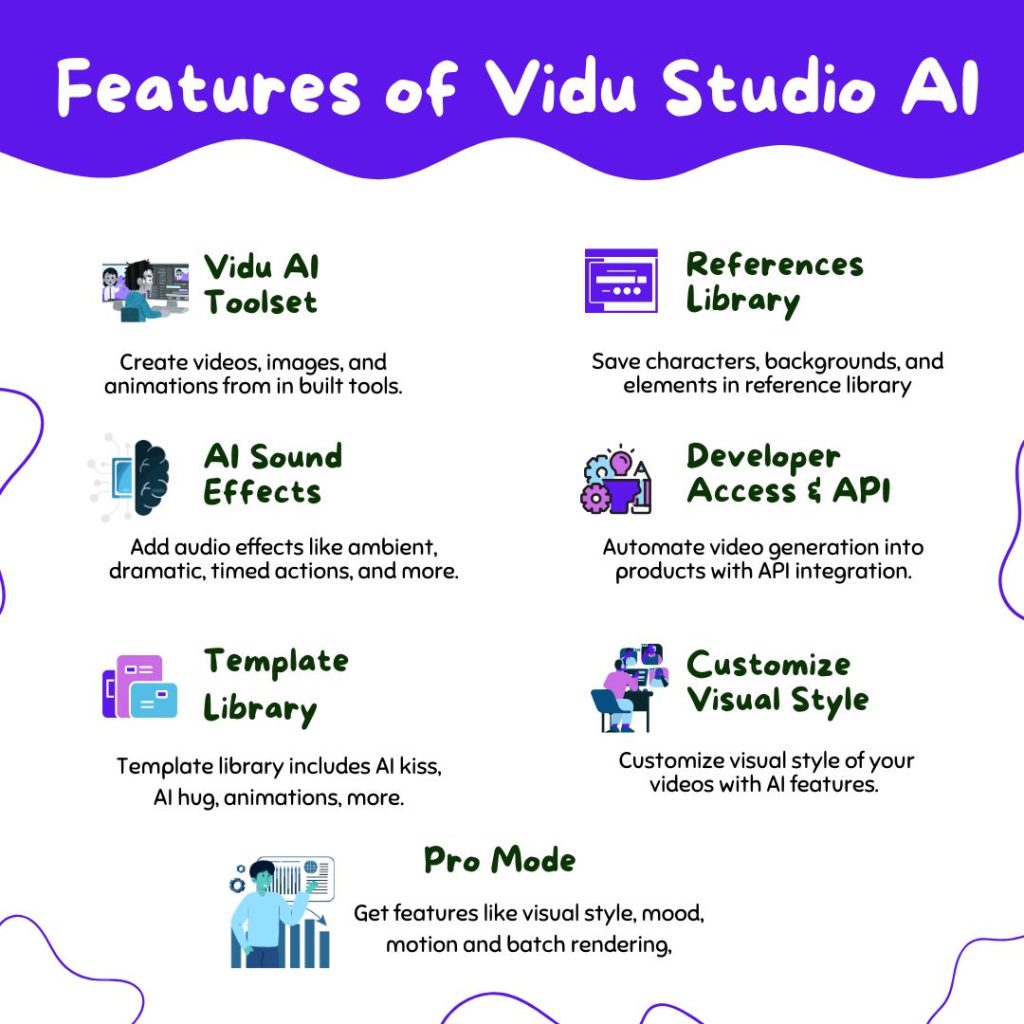
Vidu AI Generator is your all-in-one platform for creating AI-generated videos. It offers you a suite of innovative tools to bring your ideas into short clips. Here are some incredible features Vidu AI offers you.
Vidu AI Video Toolset
You can create stunning videos from simple inputs in seconds with the advanced AI technology of Vidu Studio AI. Here are the tools for creating videos, images, and animations.

- AI Animation Generator: Bring your ideas to life with smooth, lifelike animations.
- AI Image Generator: Turn your text prompts into detailed images for characters, scenes, or concept art.
- AI Video Ad Generator: Design marketing content using templates from Instagram, TikTok, and YouTube.
- AI Hug Generator: Generate emotional AI videos where characters hug.
- AI Kissing Generator: Create romantic or dramatic kiss scenes between characters for love stories.
- AI Text-to-Video Generator: Turn your text into a fully animated video with style and motion.
- Vidu AI Image to Video Generator: Animate any static image into a dynamic video using references.
- Reference to Video Generator: Upload reference images to keep your characters and style consistent in the video.
- AI Dance Generator: Generate animated characters dancing to your prompt or emotion.
- AI TikTok Video Generator: Make videos for TikTok’s fast-paced and viral-ready format.
AI Sound Effects
Vidu Studio AI recently integrated an AI sound effect (beta version) that allows you to add realistic audio into your videos. You just have to add your text prompts, then Vidu will add sound effects like ambient, dramatic, timed actions, and more.
Template Library
Vidu includes a huge preset template library like AI kiss, holiday toast effects, TikTok video templates, AI hug, animations, and more to quickly create viral and engaging clips.
References Library
You can save your favorite characters, backgrounds, and elements in your Vidu Studio AI references library. Then upload up to 7 reference images to define appearance, style, and context in your projects.
Customize Visual Style
You can customize the visual style of your video content in various genres in Vidu Studio AI, like sci-fi, romance, cartoon, western, and more. Not only this, you can add natural-looking movement like falling objects or character actions in HD, 2K, or 4K.
Pro Mode
Vidu Studio AI Pro mode unlocks features like fine-tuning visual style, mood, motion, composition, batch rendering, and prompt enhancement for faster, more polished results. However, the pro mode is only available for paid plans.
Developer Access & API
Vidu Studio AI offers API integration and Command Line Interface (CLI/CPP) for advanced users and developers to automate and embed video generation into their products.
Vidu AI Pricing
Vidu Studio AI offers flexible subscription plans for casual creators to professional videographers. Here are the Vidu AI subscription plan details.
Free Plan
- 80 credits renew monthly
- 8-second HD videos
- Watermark-free downloads
- Generate 4s video
- High-speed generation
- Upscale resolution
- No commercial use
- 1 task simultaneously
Standard Subscription Plan: $9.99/month
- 240 + 80 credits renew monthly
- Generate 4s and 8s video
- High-speed generation
- Upscale resolution
- Commercial use
- Remove the watermark after upscaling
- 2 tasks simultaneously
- High-priority generations
Premium Subscription Plan: $28/month
- 800 + 80 credits renew monthly
- Generate 4s and 8s video
- High-speed and quality generation
- Upscale resolution
- Commercial use
- Remove the watermark after upscaling
- 3 tasks simultaneously
- High-priority generations
- New features: priority experience
Ultimate Subscription Plan: $79/month
- 2880 + 80 credits renew monthly
- Generate 4s and 8s video
- High-speed and quality generation
- Upscale resolution
- Commercial use
- Remove the watermark after upscaling
- 4 tasks simultaneously
- High-priority generations
- New features: priority experience
Keep in mind that Vidu Studio AI plans use a credit-based system. While all plans offer an annual billing option with 20% off. Check the official Vidu website or contact support for more pricing details.
How to Use Vidu Studio AI?
If you use the AI video generator Vidu, you don’t need to capture multiple shots, fancy video editing techniques and tools, or any animation experience. Just need an image and prompt, and in a few clicks, your cinematic, animated, or social media post will be ready.
Here is the step-by-step guide on how to make a clip using Vidu Studio AI.
- Head to the official website of Vidu AI and start your free trial or choose a subscription plan.
- On the homepage, you will see options and templates for creating videos.
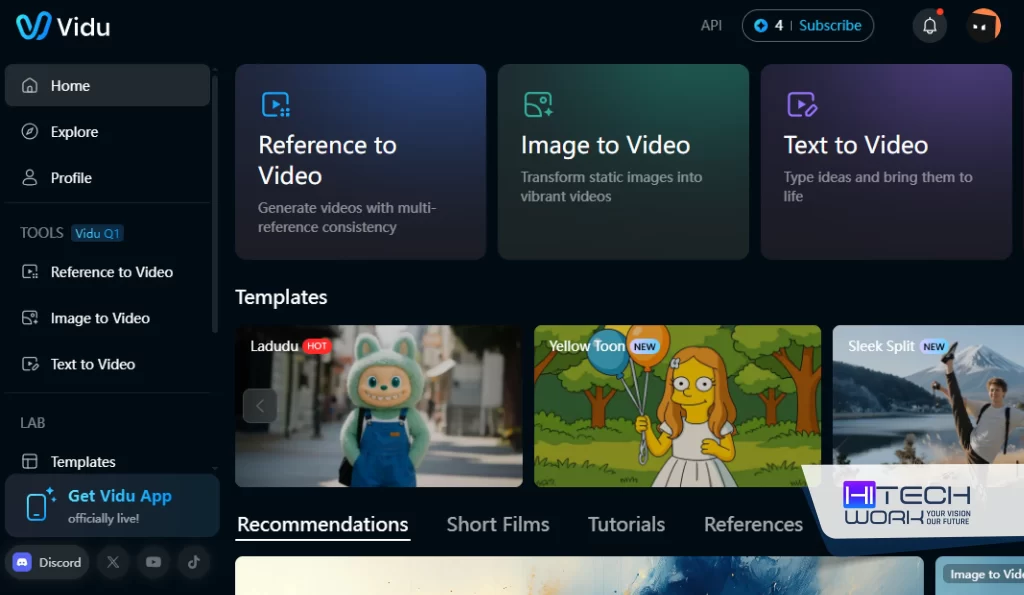
- For example, I have selected the Image-to-Video option and uploaded an image.
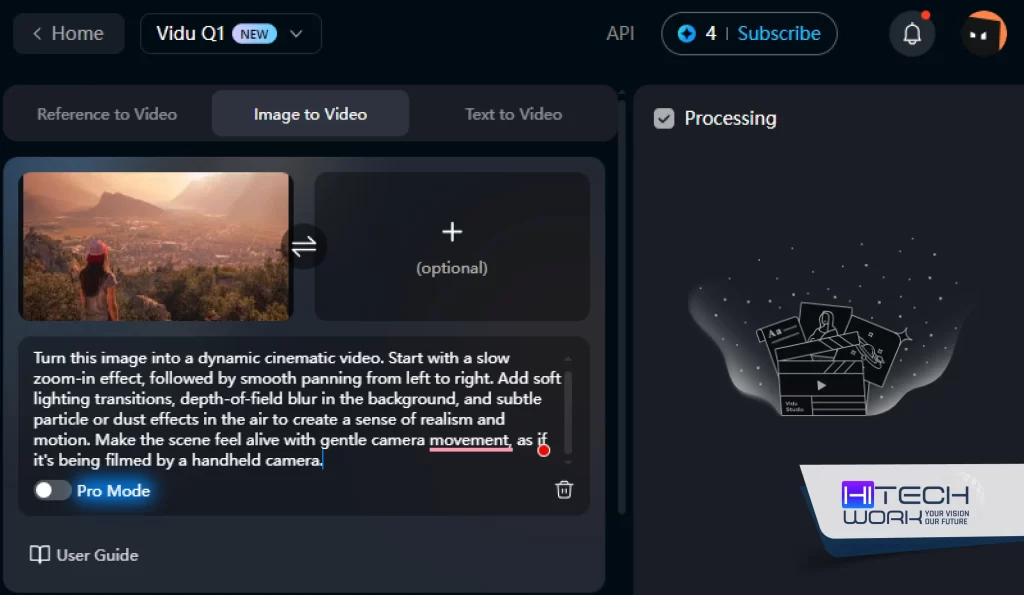
- Then add instructions in the text box, and adjust the settings like video duration and background music. And click on the create button.
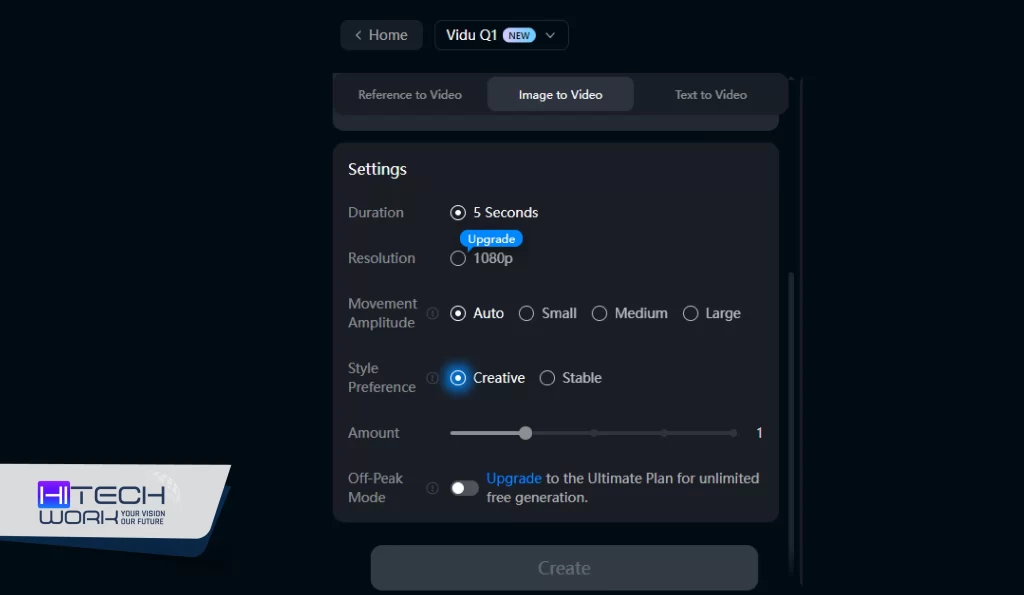
- Vidu processes your input to generate a video. Once the video is ready, review it and make any necessary edits before downloading.
Is Vidu Studio AI Safe?
Yes, Vidu AI is safe to use. It works on a secure cloud setup and follows international security standards like SOC 2, ISO 27001, and GDPR. The content you have uploaded to the tool is not used or shared with third parties. Vidu also has built-in content moderation and invisible watermarks to avoid misuse. However, if you use Vidu within its guidelines, it is a reliable and secure platform for generating AI videos.
FAQs
Q: Is Vidu AI free?
Yes. Vidu Studio AI offers a free version that includes 80 free credits per month. However, Vidu does offer paid versions with more advanced features.
Q: What are the Vidu AI alternatives?
Here are some of the best platforms and apps like Vidu AI.
- Runway ML
- Pika Labs
- Kaiber AI
- Hailuo ai
- Pixverse AI
- Kling AI
- Synthesia
- Luma AI
- DeepBrain AI
Q: Who can use Vidu AI?
Everyone can use Vidu Studio AI. This is a great tool for content creators, artists, marketers, educators, writers, and everyday users. You can create short clips, storytelling visuals, or social media content in just a few clicks.