TikTok is no longer just an entertainment app; it has become a powerful marketplace for creators and businesses. If you’ve ever wondered how to get TikTok Shop and start selling directly through your videos and live streams, you’re in the right place. This marketplace allows you to turn views into sales without sending users to external websites. In this guide, we’ll break everything down in a simple, beginner-friendly way to get a TikTok shop.
What is TikTok Shop?
TikTok Shop is a marketplace inside TikTok. It allows you to buy and sell products and make money. With this shop, businesses, individual sellers, and content creators show products through TikTok live streams, videos, and profile shops, and make their TikTok account a digital store. So, it basically combines shopping with TikTok marketing and lets your target audience find and buy your products without leaving the app.
How to Get TikTok Shop for Beginners (Seller Account)
No matter if you are a content creator, a startup business, or a brand, TikTok Shop is for everyone who wants to sell products online. Just start and set up your shop, reach millions of customers, and start earning revenue directly through TikTok.
Here is the step-by-step guide on how to get TikTok Shop marketplace. First, let’s find out some registration requirements.
Registration Guidelines for Getting a TikTok Shop
You have to go through various registration guidelines before creating your TikTok shop. You will need a valid phone number or email that is not used in another TikTok account. Also, it is only available in these countries:
- United States
- Indonesia
- UK
- Northern Ireland
- Brazil
- Mexico
- Malaysia
- Philippines
- Singapore
- Thailand
- Pakistan
- Vietnam
- France
- Italy
- Germany
- Spain
Keep in mind that you must be located in the country you select for your shop.
Step-by-Step Guide on How to Get TikTok Shop Marketplace
- Go to the TikTok Shop Seller page and enter your email or number. If you already have a TikTok account, you can log in with this account and allow TikTok Shop to access your account.
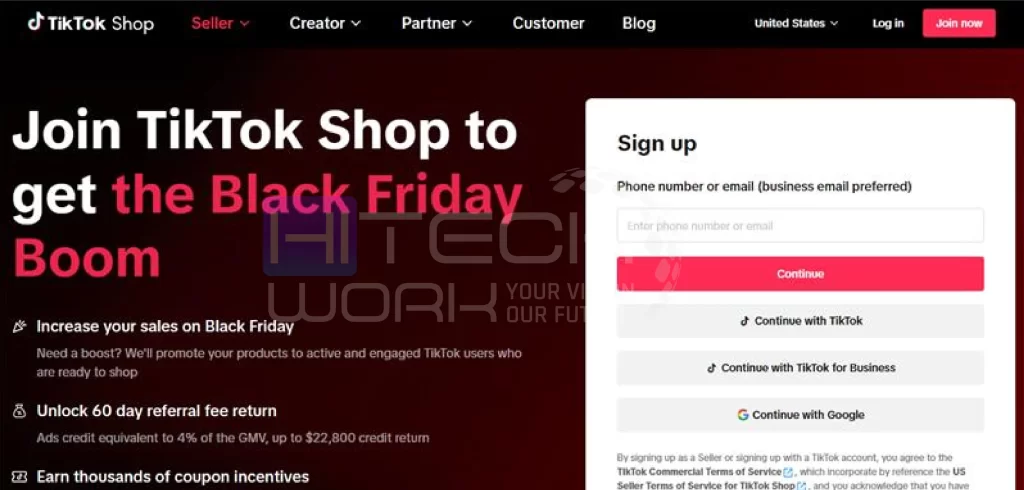
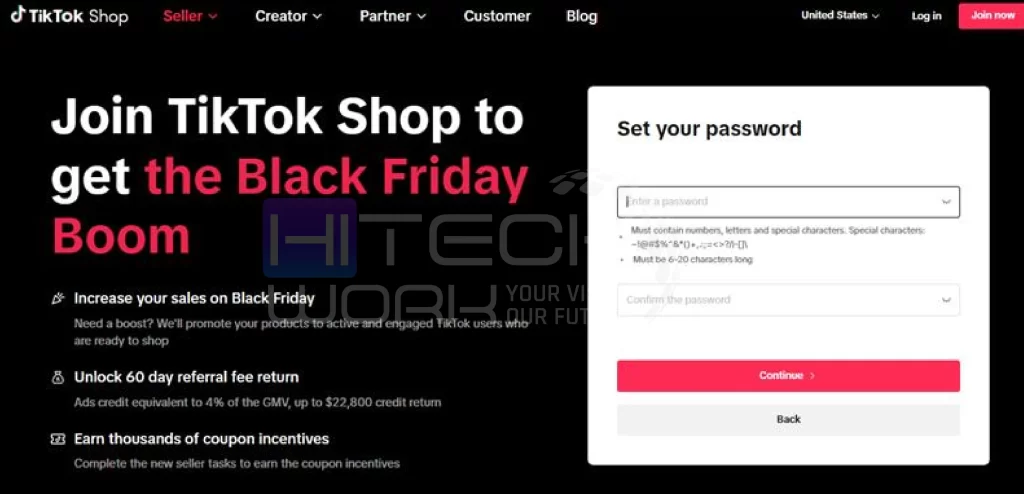
- Add a password and tap on continue.
- You will see options like seller, reseller explorer, drop shipper, and affiliate marketer. Select the option that describes your business.
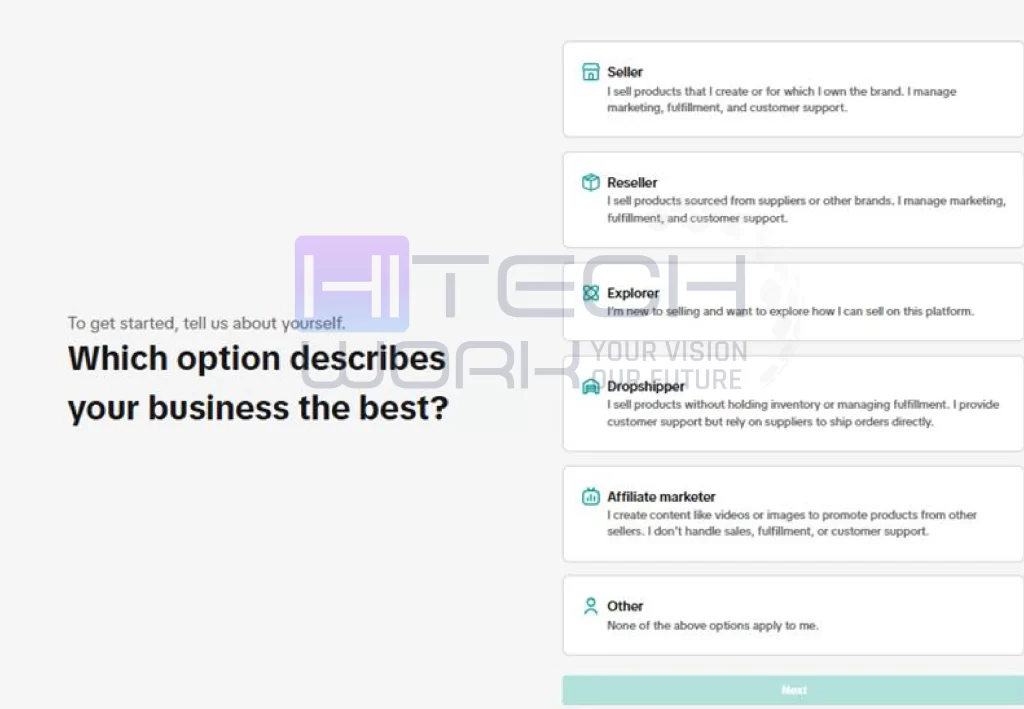
- Then choose which type of business you work for, such as an individual sole proprietorship, corporation, or partnership, and click on next.
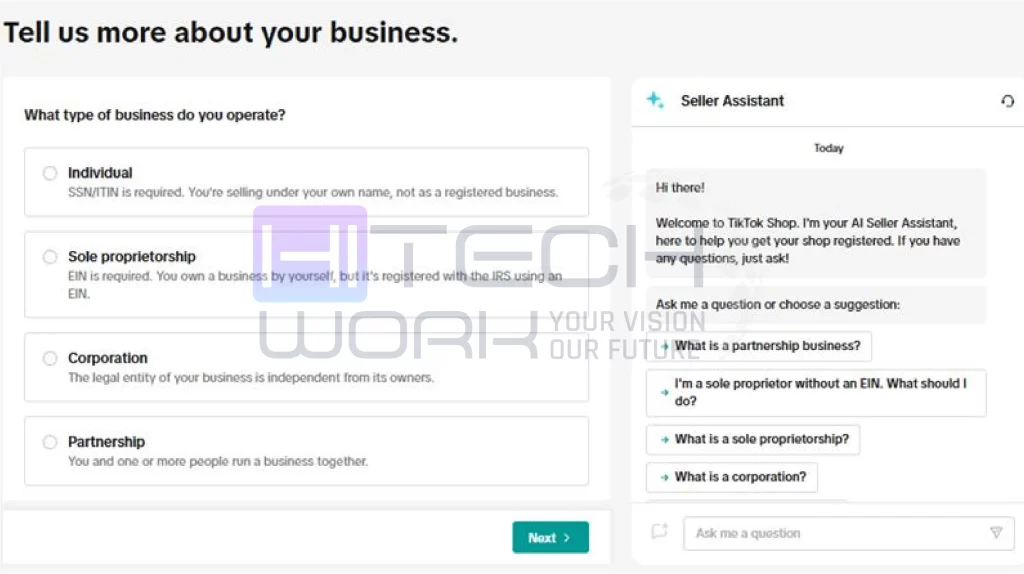
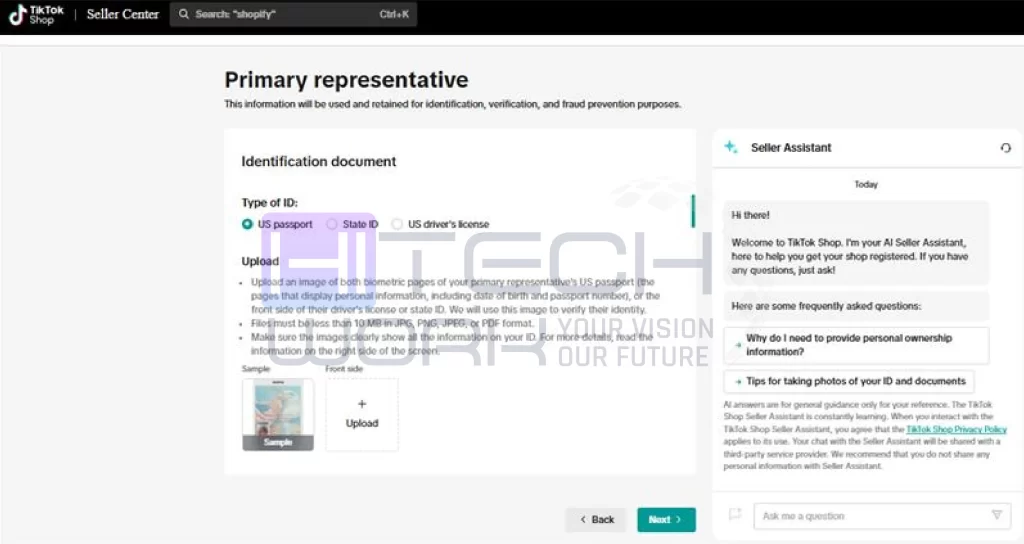
- Now you have to enter your personal and business information.
- Then enter the location and shop information, which includes the shop name and the products or services you offer, and click on submit.in which you operate and agree to the terms and conditions.
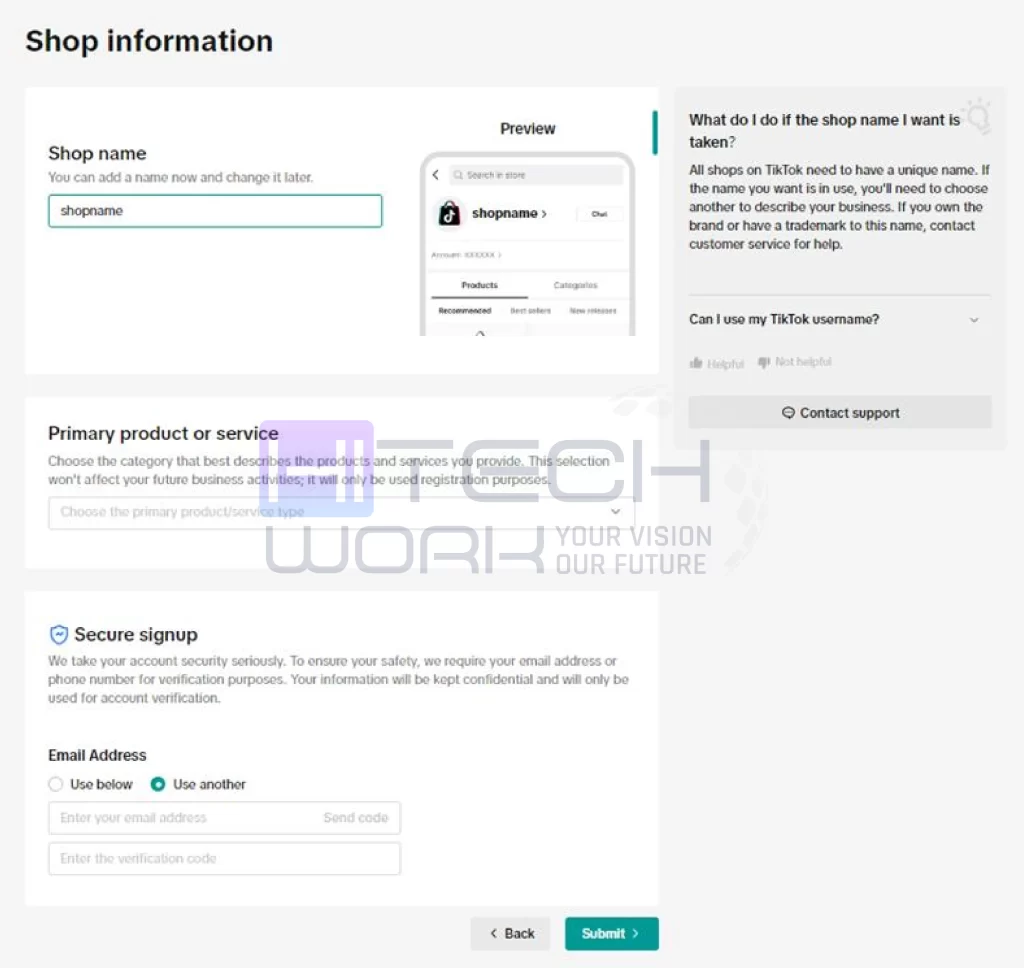
- That’s it. Now your TikTok shop account is under the TikTok review. When the review is completed, you will be notified via email.
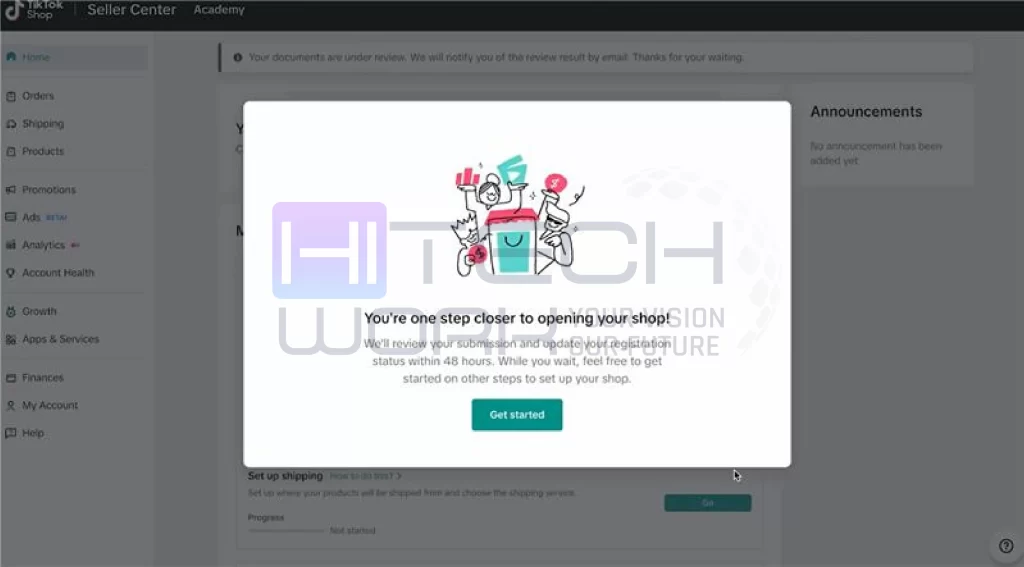
Once TikTok approves your shop, you can add products or services and start selling.
Why you should have a TikTok Shop?
- TikTok has over a billion monthly active users, most of whom are 18-24 years old. This age group is most likely to buy products online.
- When you sell on TikTok Shop, your products or services will reach a much wider audience.
- TikTok takes lower commission charges compared to other marketing platforms.
- You can showcase your products and engage your audience with a video or LIVE. They will buy instantly through the link without leaving the app.
- As a TikTok seller, you can collaborate with creators to promote your products through the TikTok affiliate program.
- With influencer marketing, you can partner with creators to grow your product’s authenticity.
How much does it Cost to Sell on TikTok Shop?
Selling on the TikTok marketplace is completely free to start. However, you have to pay charges when you make a sale. TikTok charges a 6% to 9% commission on each sale. The commission fees depend on the category of the product or service and your location. There is also a transaction or payment dealing out charges, which is around 2.5%.
Moreover, other charges are optional that include ad spend, shipping, fulfillment fees, and affiliate commissions for creators who help you to promote your products. The charges depend on your location, product type, and how you sell and market your items.
How to Get TikTok Shop as a Buyer
If you want to buy something from TikTok, here is how you can do it:
- Open the TikTok app and tap on the shop tab.
- Browse products and services to shop or search for the item you’re looking for.
- Once you find it, tap on that to get more details.
- Tap the Buy now option, then follow the steps to make the purchase.
FAQs
How long does TikTok Shop approval take?
Usually 2–7 working days, depending on document verification.
How to buy from a TikTok shop?
To buy from TikTok:
- Open the app and find products you want to buy in the Shop Tab.
- Look for the shopping bag icon in the videos, or search for it.
- Add items to your cart, and you can select the size or color.
- Complete checkout with your chosen payment method, including card, PayPal, or Apple/Google Pay.
- Fill out the shipping details, and that’s it.
TikTok Shop not showing: What to do?
TikTok Shop is not showing because of:
- Regional restrictions
- Outdated app
- Account eligibility
- Temporary glitch
To fix it, first restart your device, update the TikTok app, re-login to your TikTok account, clear the cache, and check your account meets regional requirements.
How to get free shipping on TikTok Shop?
Here are some tips to get free shipping on TikTok Shop.
- Use first-time buyer bonuses
- Look for the products that claim “Free Shipping” (marked in blue).
- Claim coupons from the cart or promotions page
- Meet seller-set least spends (often $30+ for co-funded)
- Use Fulfilled by TikTok (FBT) items for automatic benefits
- Limited-time live-stream deals
Conclusion
Now that you clearly understand how to get TikTok Shop, it’s time to take action. TikTok Shop is a golden opportunity for creators, small businesses, and online sellers to grow fast using short-form content. Follow the steps, stay consistent, and focus on value.